We built a bakery website with cake orders in six minutes, and it owned up to its mistakes
By Matthew, Developer · · 4 min read
In short: From one prompt, TypeAnApp built a bakery and café website with a menu, a "Today's bakes" board, celebration-cake requests, a contact form, emails and a staff area, in about six minutes for 22.1 build credits. It also listed every detail it had invented, from the address to the cake prices. Crumb & Kettle is an example business.
Crumb & Kettle is an example business we built to show what TypeAnApp can do. Visit the live site.
Our first showcase build was the most ordinary job a website builder gets: a local bakery that wants people to see today's bakes, read the menu and order a birthday cake without ringing up. Ordinary is good. It is what most small businesses actually need.
Facts at a glance
- Time to build
- About 6 minutes
- Build credits
- 22.1
- Messages sent
- 2
- Pages
- 7, plus a staff area
- Tables
- 3
- Emails
- 2 workflows
What did we ask for?
What we typed
A website for Crumb & Kettle, an independent neighbourhood bakery and café. Pages: a home page with today's bakes, our menu (breads, pastries, cakes, coffee) with prices, an about page (family-run, baking from 5am every day), a visit page with opening hours and our address, and a contact form that emails me. Customers can also request a celebration cake: they choose a size and flavour, the date they need it and the message to pipe on top, and I see the requests in a list. Warm, artisan feel.
What came back?
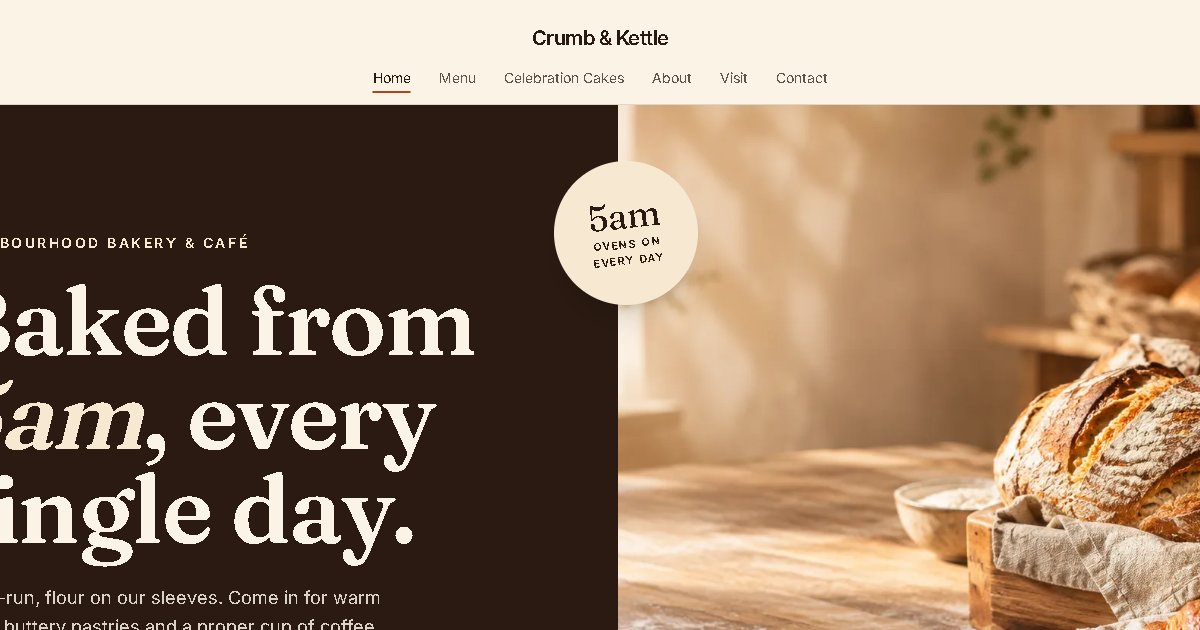
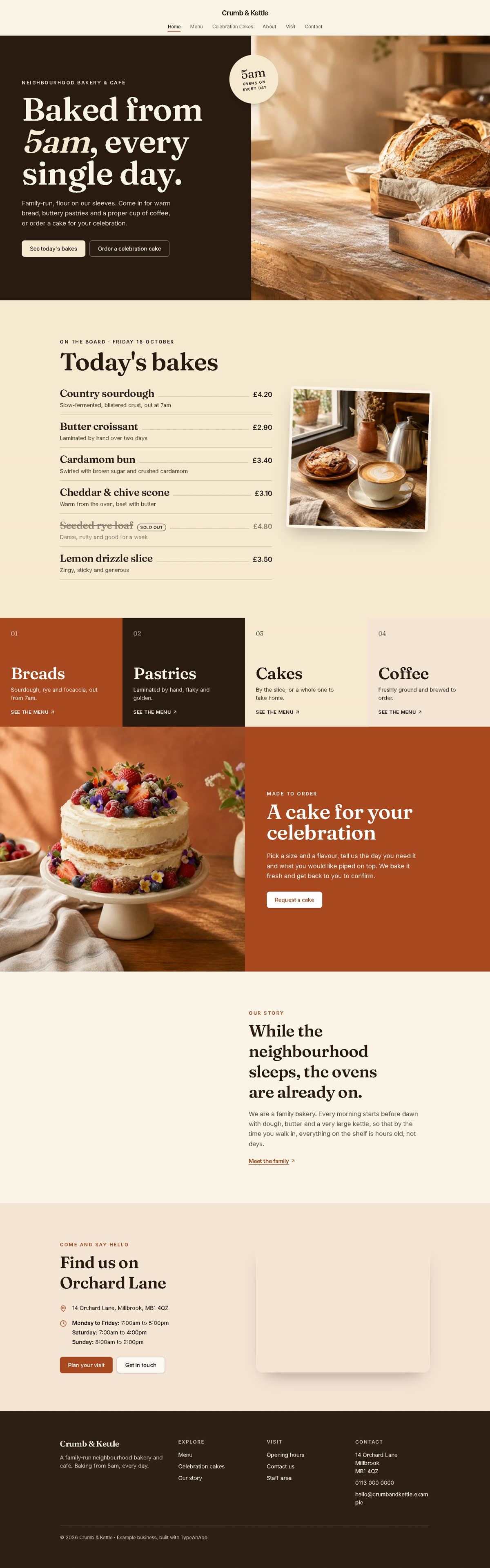
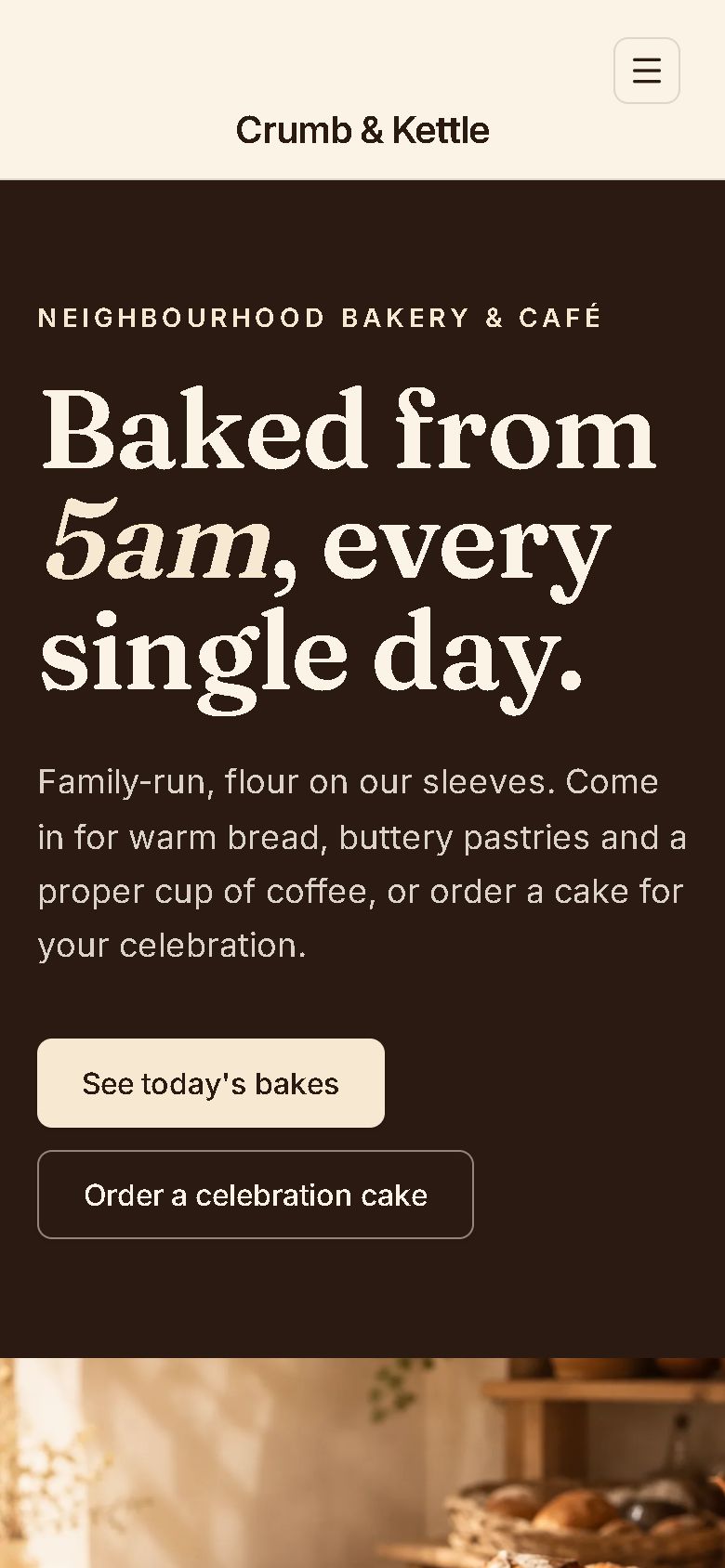
The first build took 5 minutes 20 seconds and 17.6 build credits. For "warm, artisan" it chose a bakehouse look: cream pages broken up by bold blocks of espresso brown, terracotta and wheat gold, with a big "5am" motif repeated through the site, and it made the photos as it built: the counter, a loaf, a cake, a café table and the shopfront.
- Home: an opening panel, "Today's bakes" on a chalkboard-style list, four menu colour blocks, a cake call to action, the 5am story and a visit panel.
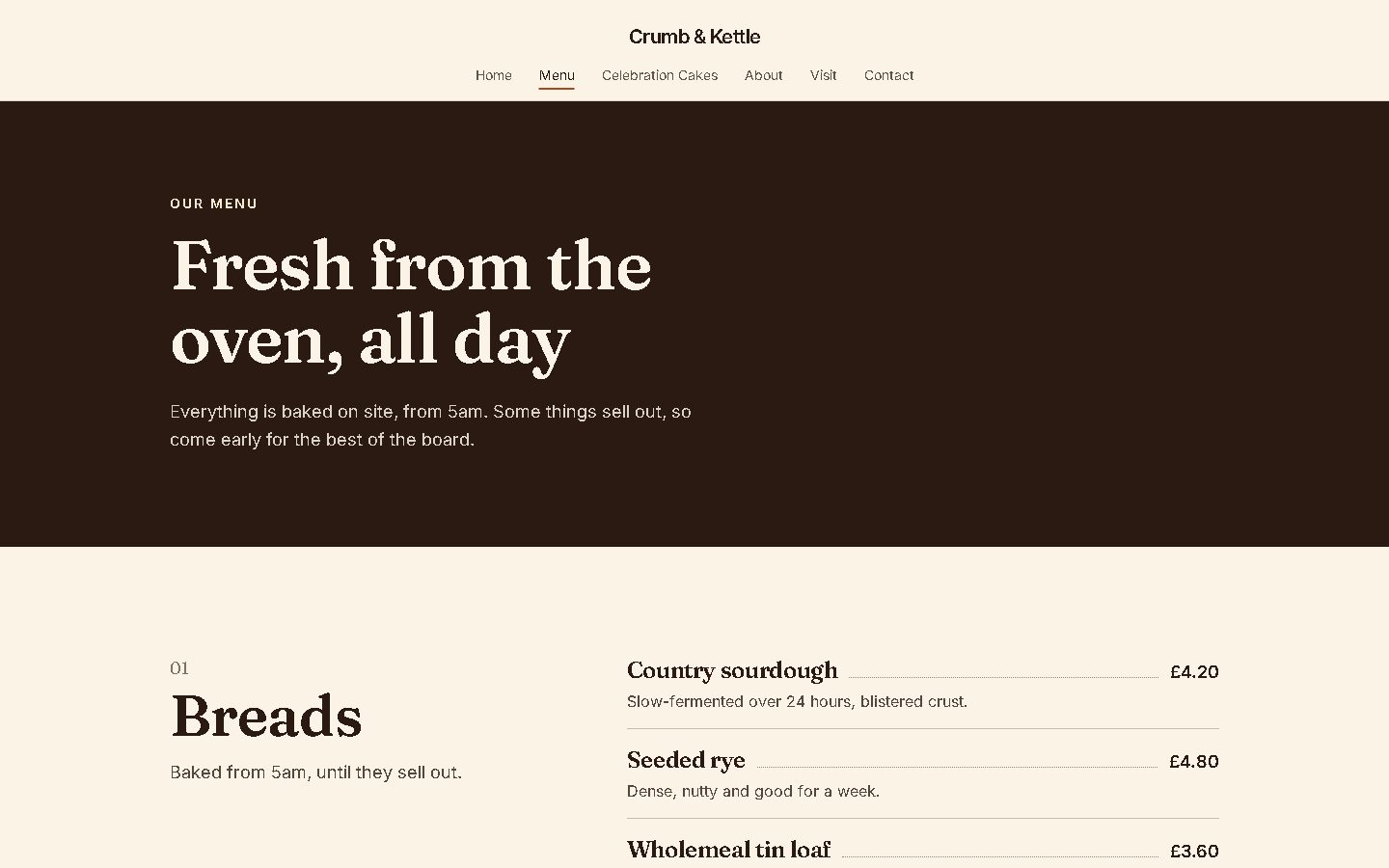
- Menu: breads, pastries, cakes and coffee with prices, written into the page so search engines and visitors always see them.
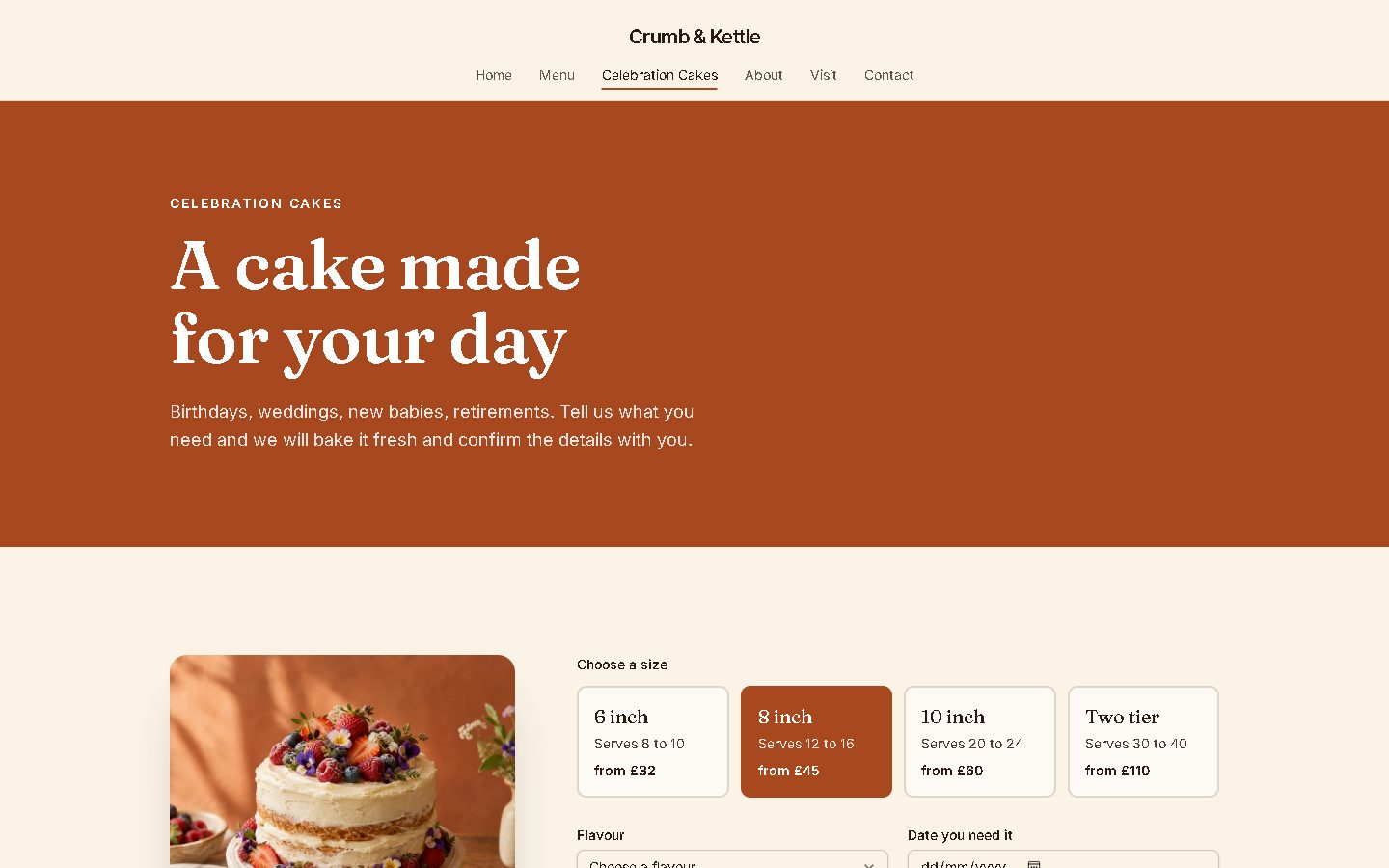
- Celebration cakes: customers choose a size, a flavour, the date and the words to pipe on top.
- About, Visit and Contact, with opening hours, the address and a contact form.
- A staff area, only for signed-in admins, to manage cake requests, update today's bakes (including "sold out") and read messages.
What did it admit it had made up?
This is the part we liked best. The builder listed every detail it had invented and asked us to check them: the address (14 Orchard Lane), the phone number, the opening hours, the menu and cake prices, the "three days' notice" for cakes and a family quote on the About page. It also caught two invented lines of its own, "Dogs and prams are always welcome" and "free range eggs", and removed them in the follow-up message. And it corrected itself: it had said six photos, but there were five.
How do the emails and data stay private?
- Anyone can read today's bakes, send a contact message or request a cake.
- Only admins can read or change messages and cake requests, or edit today's bakes.
- Emails are two workflows: a new contact message emails the bakery, and a new cake request emails the bakery and sends the customer a confirmation. They only run once the site is live.
When we pressed Launch, TypeAnApp held it: both email workflows needed the owner's approval first. Sending email on a business's behalf is a powerful feature, so the owner reviews it in the builder before anything goes out. It also warned that the workflows email a placeholder address until the real one is added.
Is it ready for local search?
The menu and opening hours are real text on the page rather than pictures, which is what search engines and AI answers read. Like every TypeAnApp site it launches with page titles, descriptions, social-share tags, a robots.txt and a sitemap. A real bakery would add its real address and hours, which local search depends on.
What would a real bakery do next?
- Approve the two email workflows and add the real email address.
- Replace every invented detail on the builder's list.
- Fill in today's bakes in the staff area before launch, because the live site starts empty.
- Add a reminder workflow the day before a cake is due.
Frequently asked questions
Can AI build a website for my bakery or café?
Yes. From one paragraph TypeAnApp built a menu, a today's-bakes board, cake requests, a contact form, emails and a staff area in about six minutes for 22.1 build credits.
Can customers order a celebration cake online?
They can send a request with the size, flavour, date and message, and the bakery manages requests in the staff area. This example does not take payment online.
Does the AI make things up?
It filled in details we had not given it, like an address and prices, but it listed every one of them for us to check, and removed two lines it realised were invented.
Why did the launch need approval?
The site sends emails. Email workflows are a powerful feature, so the owner approves them in the builder before they run.
Is Crumb & Kettle a real bakery?
No. It is an example business built for this case study.
Matthew, Developer: Matthew builds TypeAnApp, the AI app builder that turns a plain-words idea into a working website or app. He writes up every showcase build here: what we asked for, what came back, and what we changed.