We built a CRM for a two-person interior design studio in six minutes
By Matthew, Developer · · 6 min read
In short: We typed one paragraph describing a two-person interior design studio and TypeAnApp built a working CRM plus a public homepage in about six minutes, for 20.2 build credits. Enquiries from the website land in a private pipeline only the studio can see. Fern & Field is an example business we made to show what the builder can do.
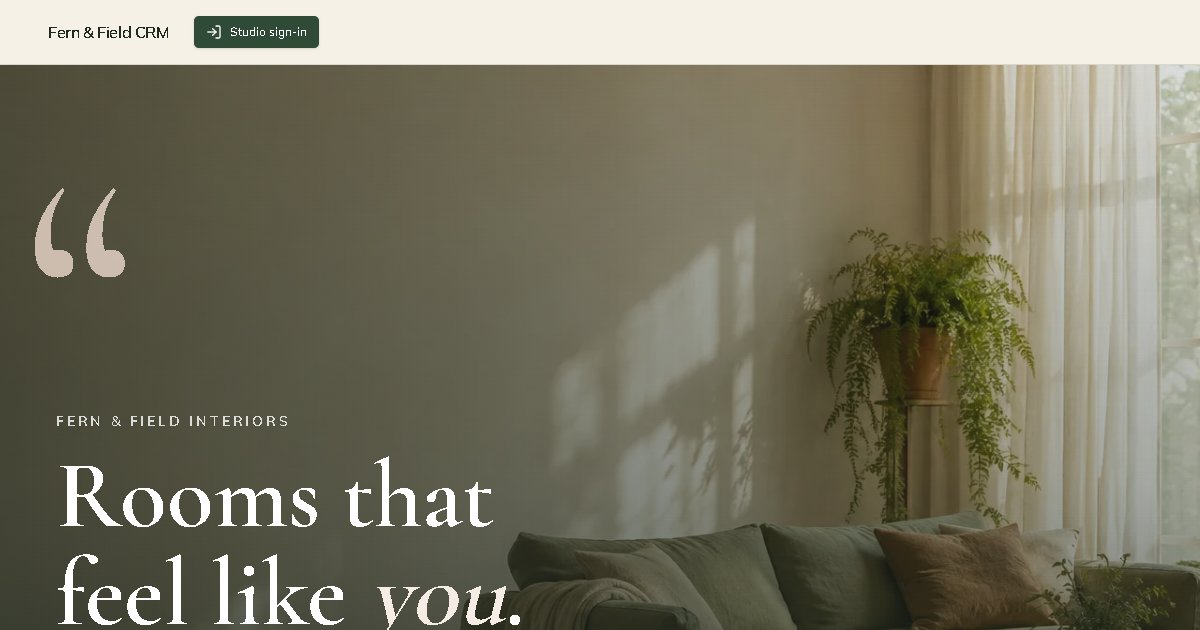
Fern & Field Interiors is an example business we built to show what TypeAnApp can do. Visit the live site.
Most small studios don't need Salesforce. They need somewhere to put the enquiry that came in on Tuesday, a reminder to ring that person back on Friday, and a quick way to see which jobs are close to being won. So for our second showcase build we gave TypeAnApp exactly that brief, for a made-up studio called Fern & Field Interiors, and watched what came back.
Facts at a glance
- Time to build
- About 6 minutes
- Build credits
- 20.2
- Messages sent
- 2
- Pages
- Homepage, pipeline, follow-ups, leads, lead detail
- Sample data
- 11 leads with notes
- Live at
- fern-and-field.typeanapp.app
What was the brief?
We wrote the prompt the way an owner would, without any technical words. Two people, three kinds of project, a budget, a stage and a follow-up date. Here is exactly what we typed:
What we typed
A simple CRM for Fern & Field Interiors, a two-person interior design studio. We track leads and clients with contact details, project type (home, office, rental property), budget, stage (enquiry, consultation booked, proposal sent, won, lost) and the next follow-up date. We want a pipeline board by stage, a list of follow-ups due this week, and notes on each client. A simple public studio homepage with our services and an enquiry form that creates a new lead. Only the two of us can sign in to see the CRM.
That last sentence matters most. A CRM is full of other people's phone numbers and budgets, so "only the two of us can sign in" had to turn into real rules on the server, not just a hidden menu.
What did TypeAnApp build?
The first build took 5 minutes 20 seconds and used 17.4 build credits. It came back with two sides to the app: a public studio homepage, and the private CRM behind a sign-in.
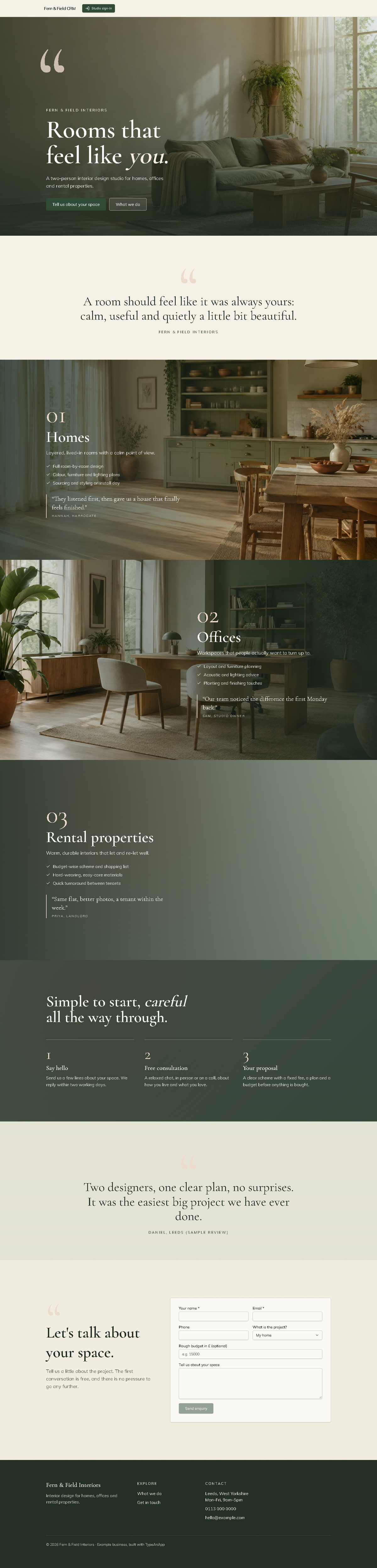
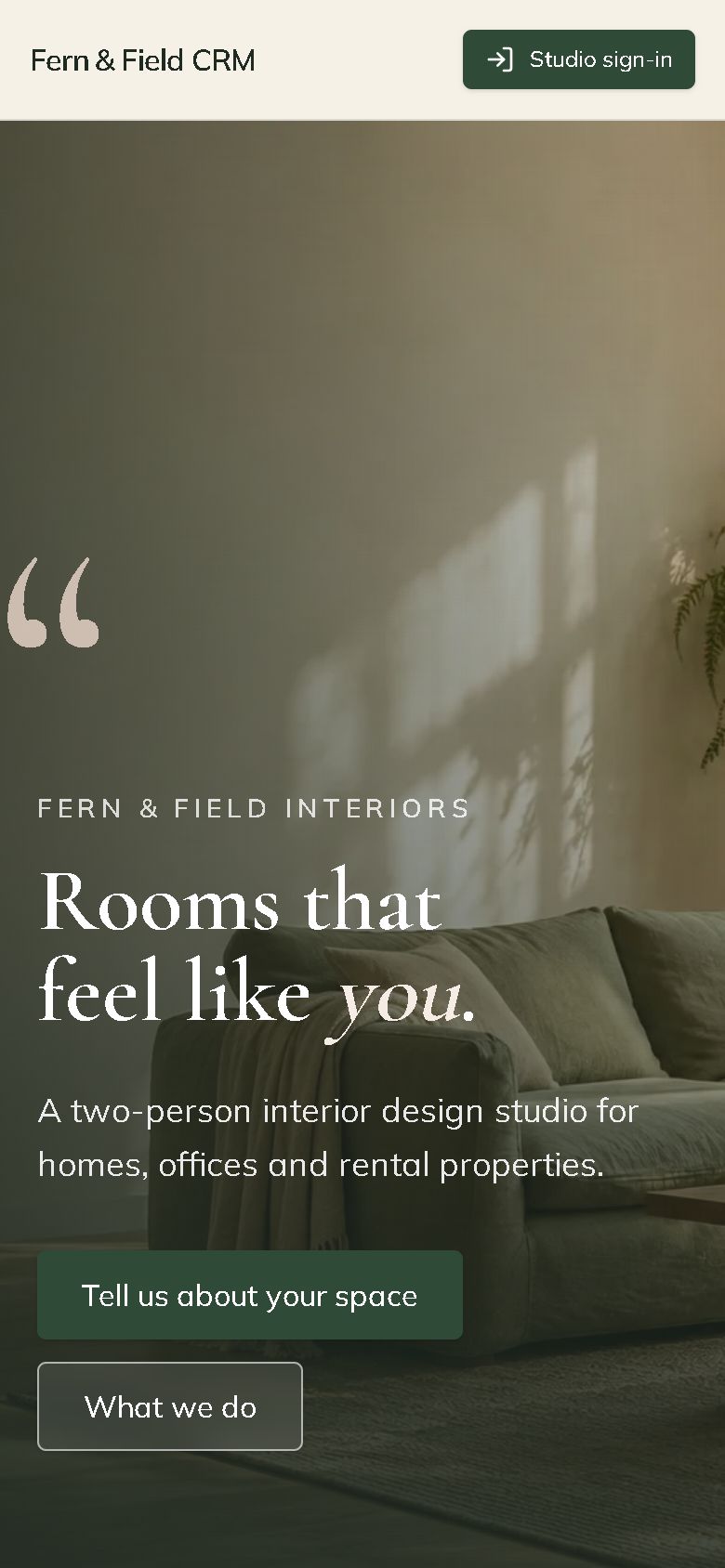
- A public homepage with the three services (homes, offices, rental properties), a "how we work" section and an enquiry form.
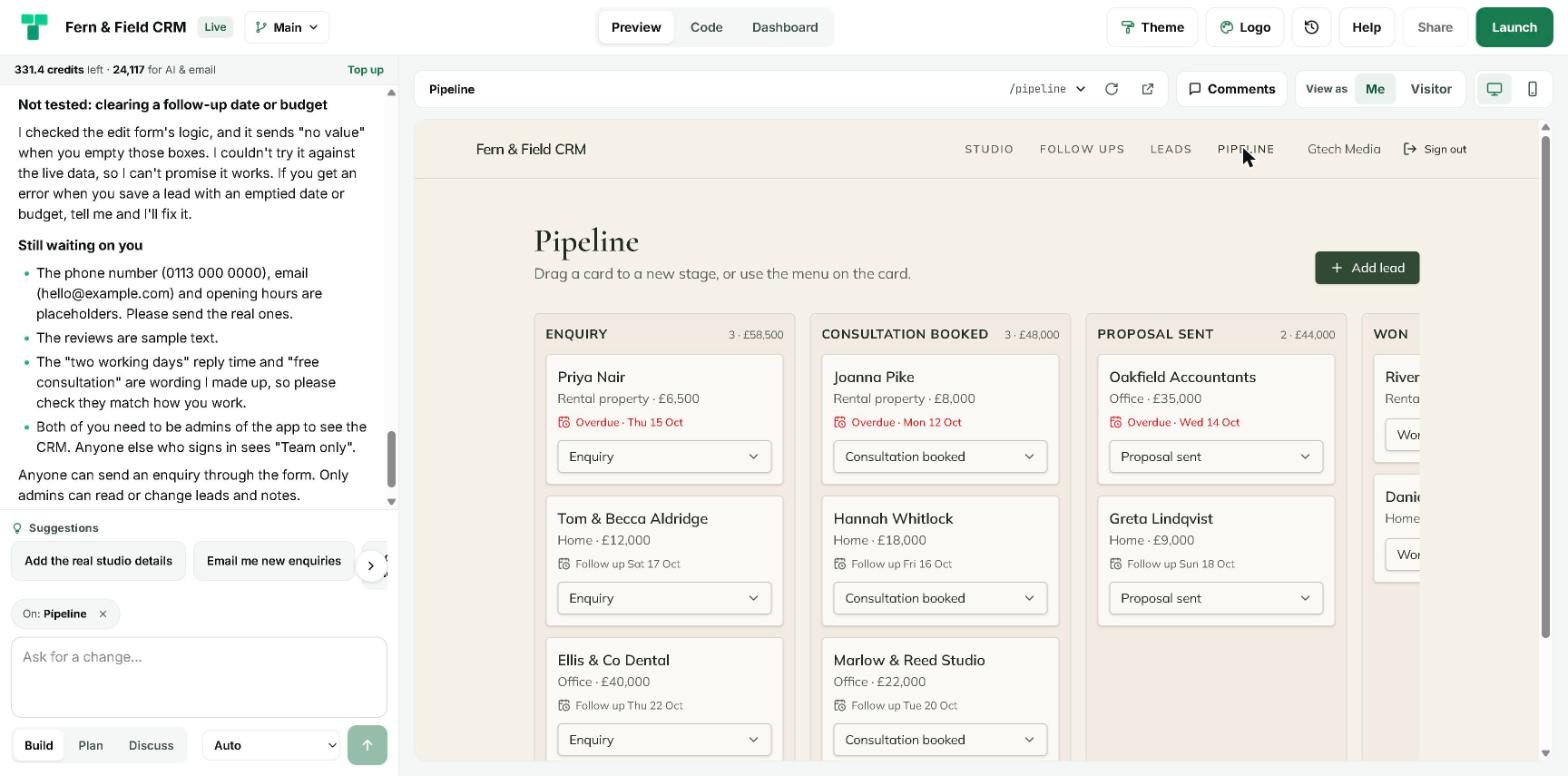
- A pipeline board with five columns: Enquiry, Consultation booked, Proposal sent, Won and Lost. Cards can be dragged between stages, and overdue follow-ups show in red.
- A "Follow-ups this week" list grouped into overdue, today and later this week, each with one-click Tomorrow and Next week buttons.
- A searchable leads table you can filter by stage and project type.
- A page for each lead with their details, the message they sent and a running list of notes.
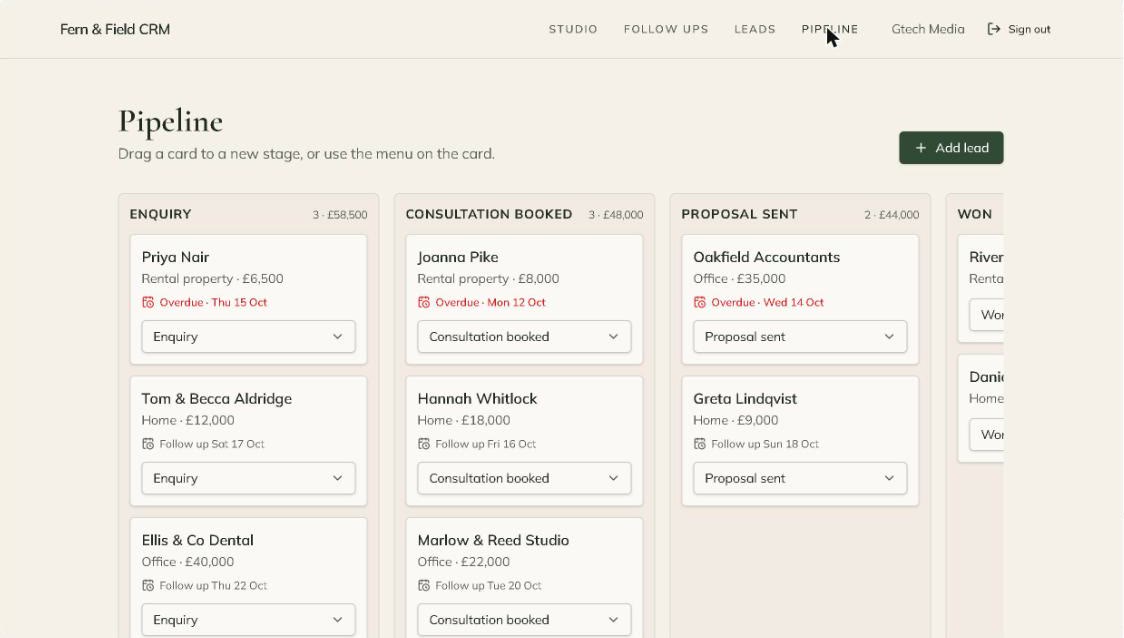
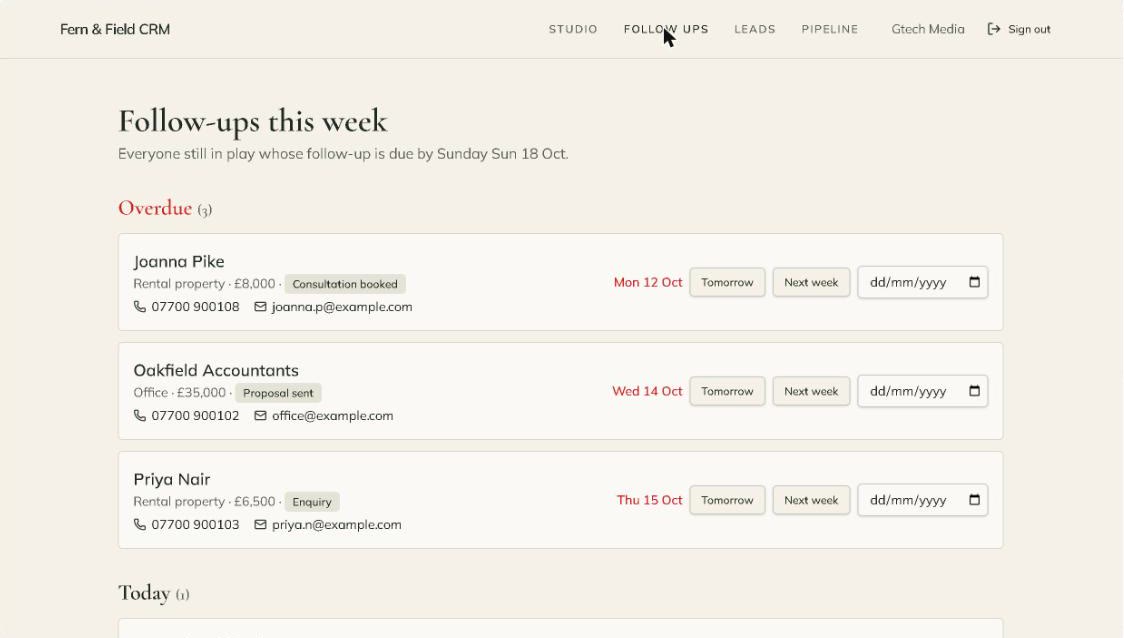
Every enquiry sent through the homepage form becomes a new lead at the Enquiry stage, with its source set to "website" and a follow-up booked for the next day. Nobody has to copy anything across.
Why does the homepage look like that?
We didn't ask for a look. TypeAnApp now decides an art direction for each site before it writes any code, and for an interior designer it went quiet and cinematic: cream pages, full-width room photos, deep green and clay colours, and big serif pull quotes. The photos are made for this site while it builds, so it doesn't share stock images with anyone else.
How is the client data kept private?
This is the part we checked most carefully. In TypeAnApp every table has access rules, and they are enforced on the server for every request, whatever the page shows. For Fern & Field the builder set them up like this:
- Anyone can send an enquiry through the form. That is the only thing a visitor can do with the data.
- Only the app's admins can read or change leads and notes.
- Somebody who signs in but is not an admin sees a "Team only" message, and the server refuses their requests anyway.
When we pressed Launch, the security check that runs before every launch looked over the tables and code and found nothing serious enough to stop it, so the site went live straight away. The builder also suggested making the app invite-only as an extra lock, which is a single setting at launch.
What about SEO?
The public homepage launched with a proper page title ("Fern & Field Interiors | Interior design studio"), a meta description written for people searching for a designer, Open Graph tags so a shared link shows the living-room photo, and its own robots.txt and sitemap. The CRM pages sit behind sign-in, so there is nothing private for a search engine to find.
What did we have to fix?
One thing, and the builder told us about it itself. The first build ran out of steps just before its last polish edits: two large quote marks were a bit faint on the cream background, and one was cut off. We sent one more message, "Please carry on", and 40 seconds and 2.8 credits later the quote marks were fixed, the photo text was easier to read on phones, and the app check passed.
It was also honest about what it had invented. It listed the placeholder phone number, email and opening hours, flagged that the reviews were sample text, and pointed out that "two working days" and "free consultation" were its own wording for us to check. A real studio would swap those in with one message.
What would a real studio add next?
- Their real phone number, email, opening hours and reviews.
- An email to both partners whenever a new enquiry arrives (the builder offered it as a one-tap suggestion).
- A link to HubSpot or Google Sheets from Dashboard → Integrations, if they already keep contacts there.
- An agent that reads new enquiries each morning and drafts a friendly first reply for them to check.
If you run a small studio, an agency or a practice and you still track leads in your inbox, describe your own setup in plain words and see what comes back. It took us six minutes.
Frequently asked questions
Can AI really build a CRM for a small business?
For a small team, yes. From one paragraph TypeAnApp built a pipeline board, a follow-up list, a leads table, notes and a public enquiry form, with sign-in and server-side access rules. It took about six minutes and 20.2 build credits.
Who can see the leads in a TypeAnApp CRM?
Only the people you allow. In this build anyone can send an enquiry, but only the app's admins can read or change leads and notes, and the server enforces that for every request.
How much did this build cost?
20.2 build credits across two messages: 17.4 for the first build and 2.8 for the follow-up. Plans include a monthly allowance of build credits.
Is Fern & Field a real business?
No. It is an example business we made up to show a complete, honest build. The reviews, phone number and email on the site are placeholders.
Can I connect the CRM to HubSpot?
Yes. Paid plans can connect HubSpot in Dashboard → Integrations, and workflows or agents can then add contacts, deals, notes and tasks there.
Matthew, Developer: Matthew builds TypeAnApp, the AI app builder that turns a plain-words idea into a working website or app. He writes up every showcase build here: what we asked for, what came back, and what we changed.